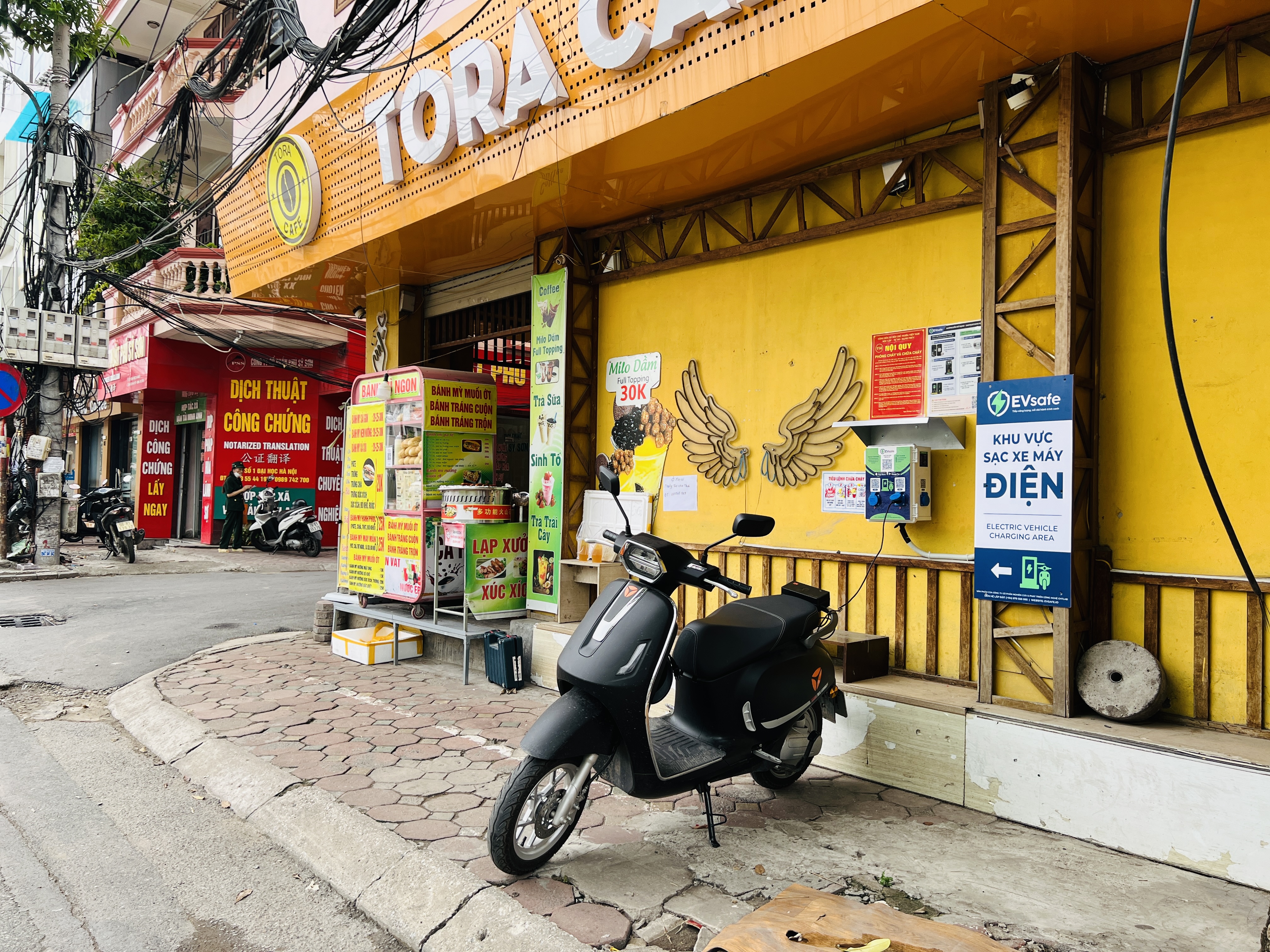
Introducing EVsafe Partners 2.0, a charging station management application for owners: overview of revenue, daily, weekly, and monthly statistics, charging session history, finance, notifications, and station contracts.
EVsafe Partners is an application for charging station owners who cooperate with EVsafe: where they can monitor stations, charging poles, charging sessions, revenue statistics, and notifications. Version 2.0 has been completely revamped, with the goal of allowing owners to quickly and clearly grasp the situation of their stations and view it directly on their phone.
This article introduces the main features of the application, along with real screenshots. The data in the images is illustrative data from a sample owner account, not actual data from a specific owner.
What's new in version 2.0
- New interfacewith light and dark modes.
- Clearer revenue: view today's revenue, monthly revenue, and charging session history.
- Automatic station information updates: edit utilities and add or remove station photos directly in the app.
- Monitoring of individual charging poles: view issues, insurance, and SIM information for each charging pole.
- Faster loginwith an OTP code paste button.
- Error fixes and performance improvements.
Overview: Grasping the situation for the day
The first screen after logging in displays the key figures that owners need to check every day: today's revenue (including promotional packages), number of charging sessions, amount of electricity charged in kWh, and number of online charging poles. Below that is the total revenue and number of sessions for the current month.
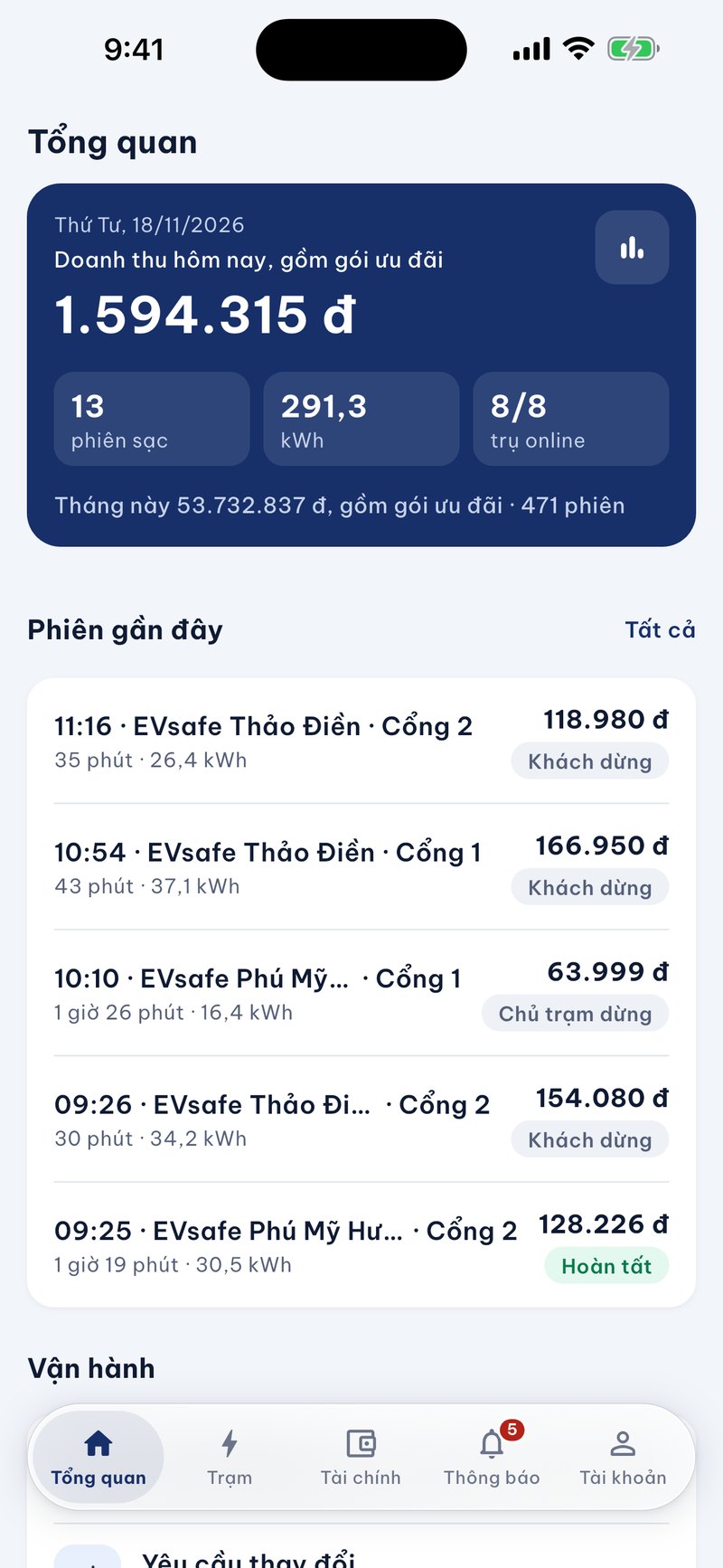
The list of recent sessions shows the start time, station, charging port, duration, energy, and amount of each session. Each session also has a status label or reason for ending, such as the customer stopping actively, the pole having no current, or the pole not responding, so that the station owner knows which sessions ended normally and which ones need attention. The navigation bar at the bottom includes five sections: Overview, Station, Finance, Notification, and Account.
Statistics by day, week, month
The Statistics section allows viewing by Day, Week, Month, or a custom time period. For each period, the station owner can switch between three indicators: revenue, number of sessions, and kWh, and also see the increase or decrease compared to the previous period.
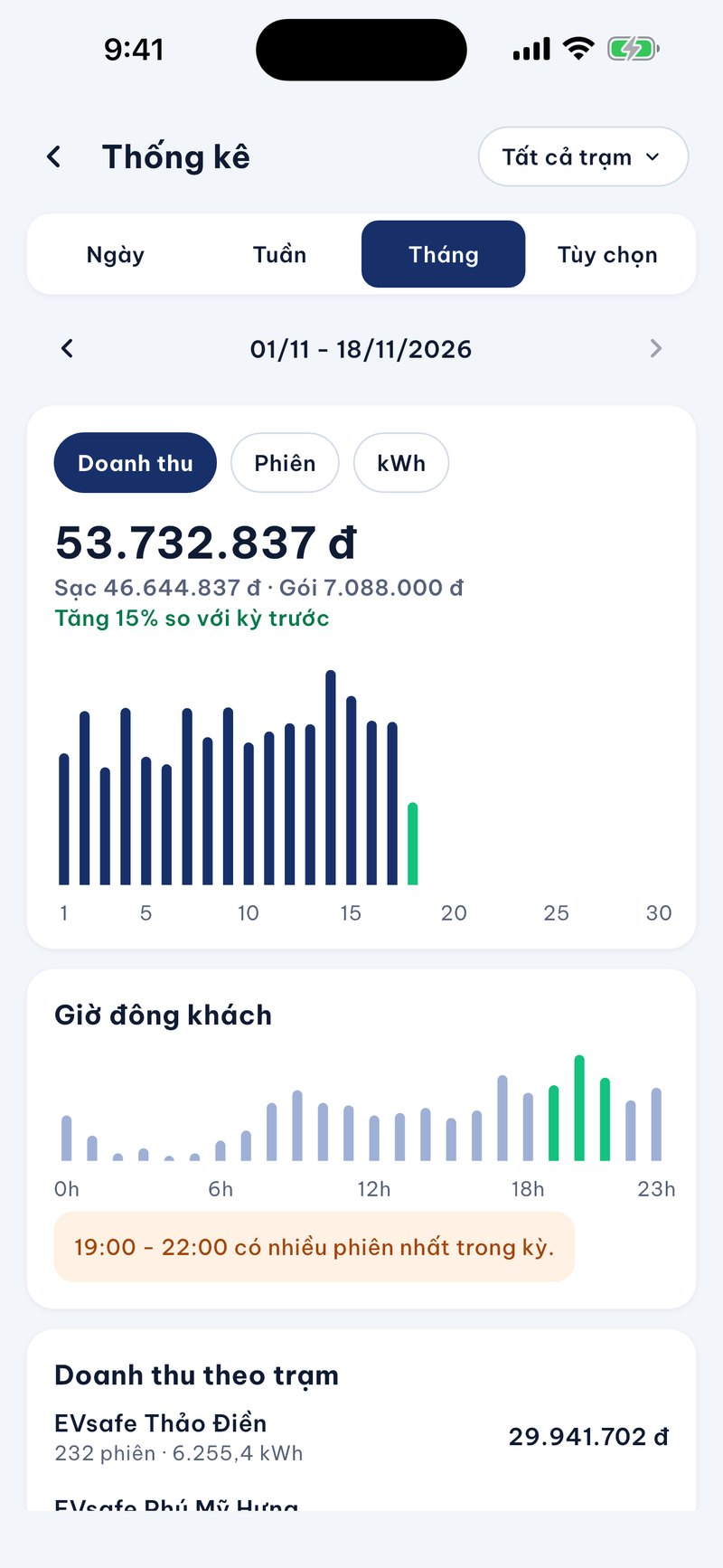
- Peak hours: a chart showing the distribution of sessions by hour and noting the time frame with the most sessions in the period, which is useful when considering opening hours or arranging personnel.
- Usage level of each pole: the revenue from charging for each pole to compare the usage level between poles in the same station.
- Separate charging and package discounts: revenue is displayed in two parts: charging fees and package fees. Package discounts belong to the station, so they are not divided by pole.
Charging session history
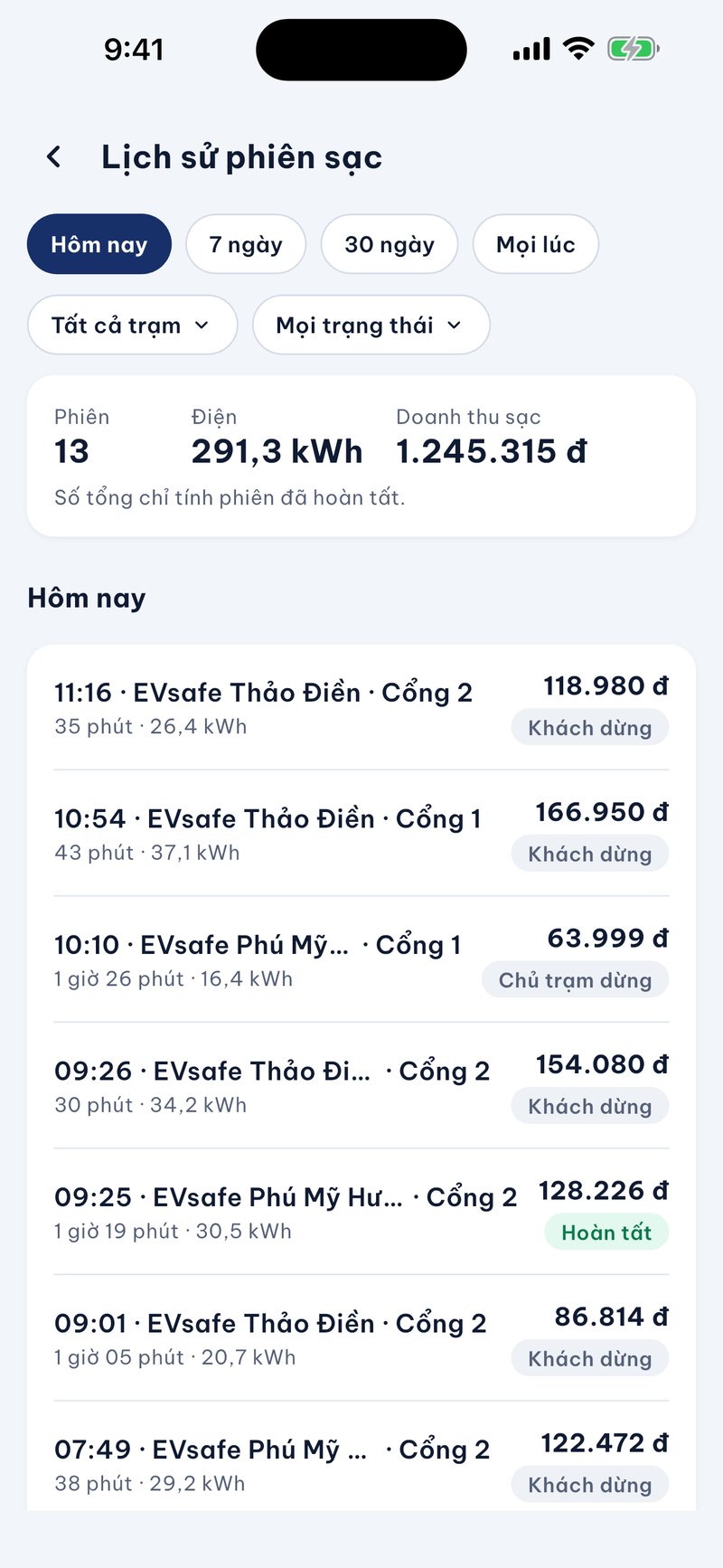
The Charging Session History section allows filtering by Today, 7 days, 30 days, or All, by station, and by session status. The summary section at the top includes the number of sessions, energy, and charging revenue, and the application notes that the total only includes completed sessions.
Finance: balance and monthly revenue
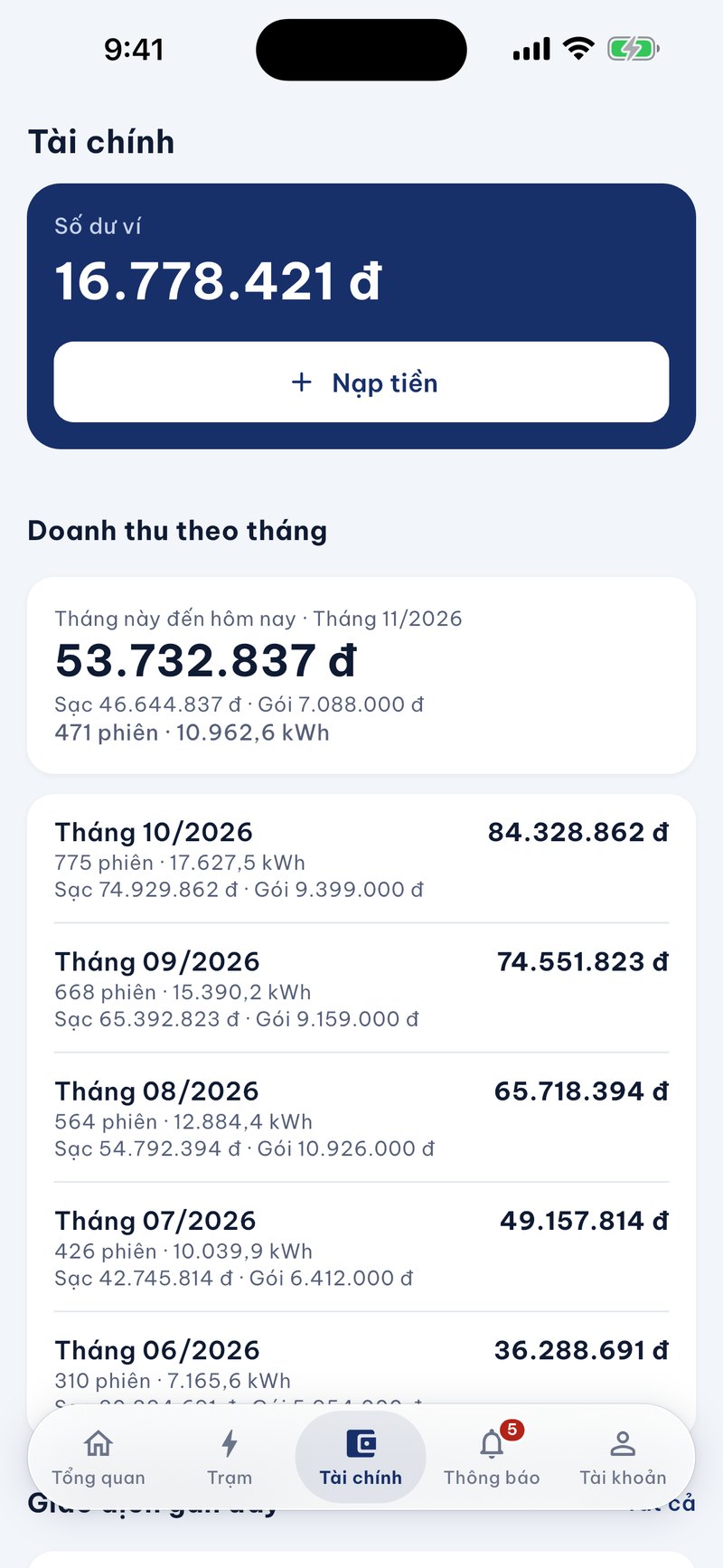
The Finance section starts with the Wallet Balance card, accompanied by a Top-up button. Below is the Monthly Revenue section: the current month displays the total revenue up to the time of viewing, separated into charging money and package money, along with the number of sessions and the amount of electricity charged in kWh. Previous months are listed in the same way, helping station owners compare from month to month.
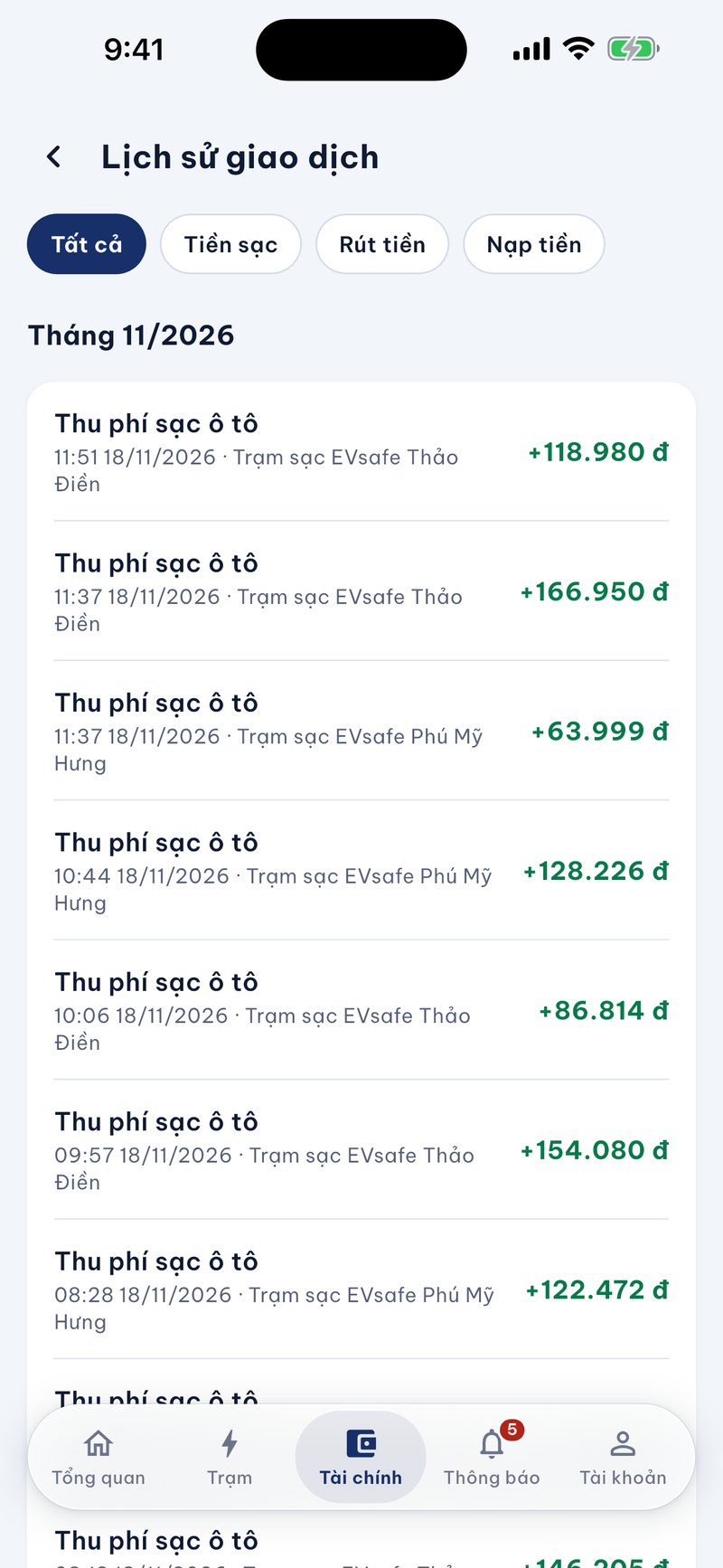
The Transaction History section lists each transaction into the wallet, such as the fee collection for a car charging session, including date, time, station name, and amount. It can be filtered by All, Charging Money, Withdrawal, or Top-up. The status of withdrawal orders to the account can be viewed in the Withdrawal Orders section in the Account section.
Notifications
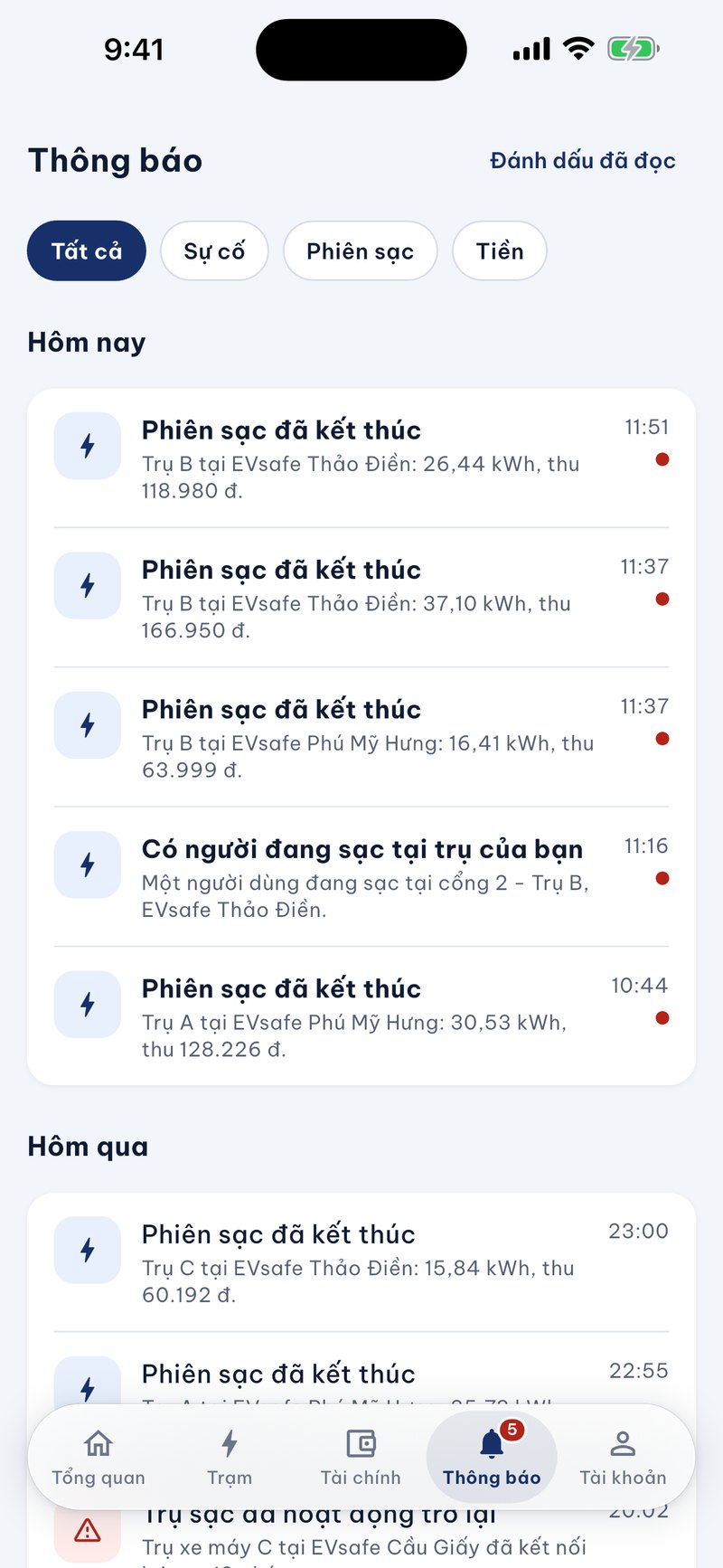
The Notifications section collects events at your station, such as someone starting to charge or a charging session has ended. Station owners can filter by Incident, Charging Session, or Money, and mark all as read with just one touch.
Station and charger management
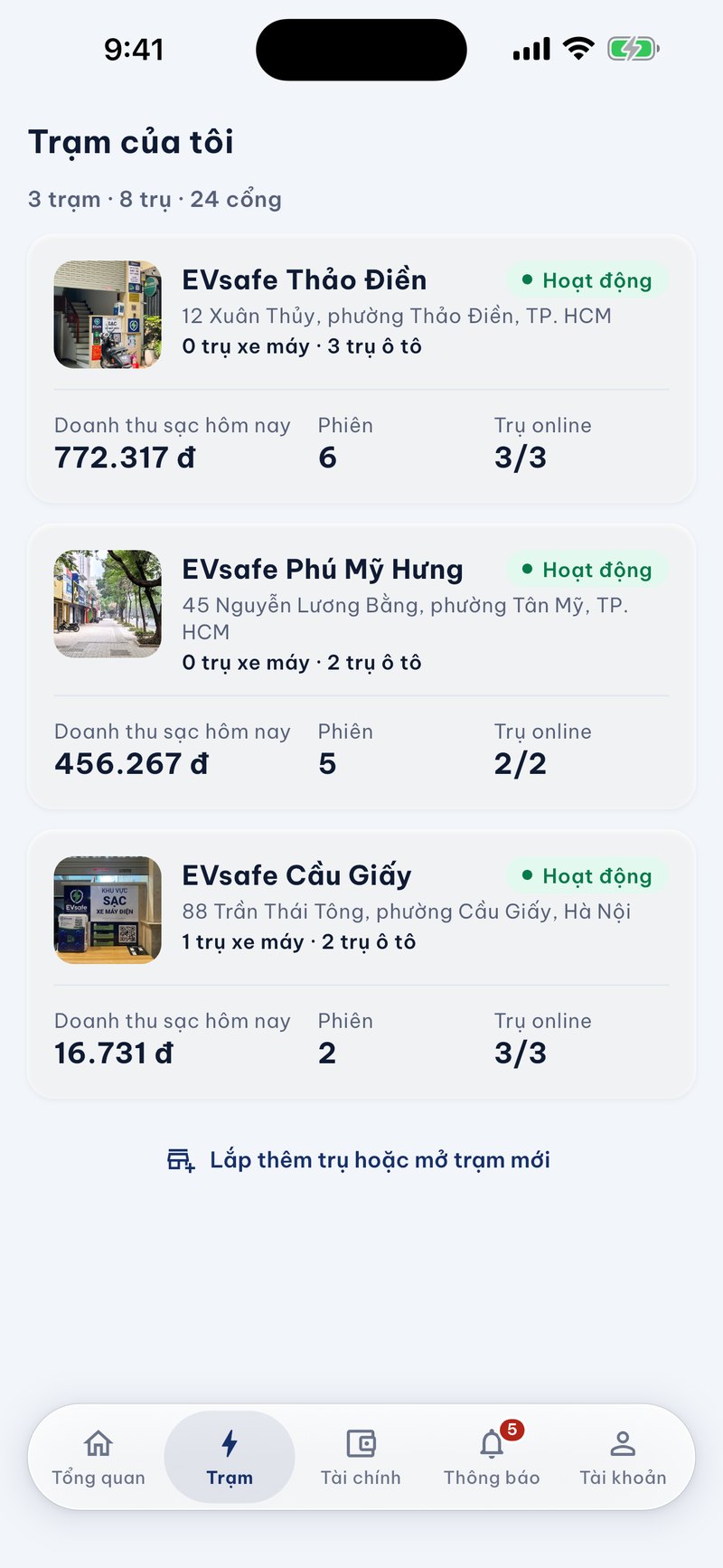
The Station section lists your stations, and from each station, you can open the details of each charger. In version 2.0, station owners can edit the station's amenities and add or remove station photos directly in the app. For each charger, the application allows you to track issues, insurance, and SIMs, so that device information is always in one place instead of being scattered across messages.
Each station card displays the photo, name, and address of the station, the number of motorcycle and car chargers, as well as today's charging revenue, the number of sessions, and the number of chargers online.
Account, contract, and security.
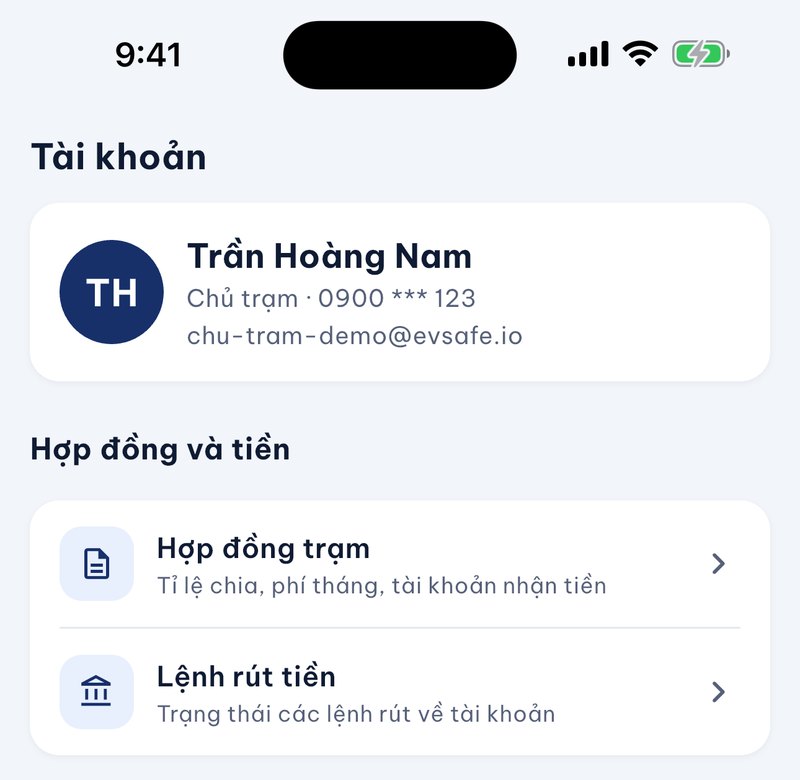
- Station contract.: view the revenue sharing rate, monthly fee, and the account that receives the station's money.
- Login security.: supports biometric authentication on devices (can be turned on or off according to your choice).
- Change password.: after changing, the account will be logged out of all devices.
- Station members.: approve requests and add regular customers.
- Withdrawal orders.: view the status of withdrawal orders to your account.
- History.: view recent charging sessions and transactions.
- Contact EVsafe.: a contact section right in the app, along with a section to leave information if you want to install more chargers or open more stations.
Transparency and data security.
EVsafe Partners is designed to allow station owners to check their own data. Revenue, number of sessions, and energy displayed in the app are taken from the EVsafe operating system, each charging session has a status and reason for completion, and the total numbers clearly indicate the calculation scope. The station contract, including the revenue sharing rate and monthly fee, can also be viewed directly in the Account section.
Regarding security, accounts can enable biometrics when opening the app, and changing passwords will log out all devices that are currently logged in.
Download the application
Version 2.0 of EVsafe Partners is now available on the App Store and Google Play. If you have already installed the app, please open the app store and update to the latest version.
Want to become an EVsafe station owner?
If you have a location like a cafe, apartment building, hostel, parking lot, or business and want to install an electric vehicle charging station, EVsafe will consult on a cooperation model and guide you on using this management application. See the station owner partnership program or call the EVsafe hotline: (+84) 879 558 085.